A solar UPS for home electronics does one job that no inverter or generator can: it carries the load through the gap without a gap. Switchover happens in milliseconds, so the computer never reboots and the modem never drops its session.
That matters more than people expect on a solar house. Hybrid inverters, transfer switches and generators all take a moment to pick up, and a moment is enough to kill a video call.
So a UPS is not a competitor to backup power. It sits in front of the sensitive loads and smooths over whatever the rest of the system is doing, which is a different job from solar generators for home backup.
The Short Version
A line-interactive UPS with pure sine wave output is the right default for a desk, and it is the only sensible choice behind an inverter. For a modem and router alone, a small DC UPS costs less and runs them for hours. Size the unit by watts rather than by the VA number on the front panel, because VA flatters the real figure.
Key Points
- A UPS bridges the switchover that inverters and generators cannot.
- Pure sine wave output matters behind a modified sine wave inverter.
- VA ratings overstate usable watts, so read the watt figure.
- Sealed lead acid batteries in cheap units are the first part to fail.
- Runtime at full load is short by design, since the point is a bridge rather than a backup.
- Surge protection and a UPS are different functions, even when one box claims both.
How We Picked
We sorted by output waveform first, because that is the specification that decides whether a UPS cooperates with an inverter at all. Units with square or stepped output cause trouble downstream of anything other than clean utility power.
Then we weighted battery replaceability, since the chassis usually outlives the cells by years and a sealed unit becomes landfill when they go.
We have not metered switchover times or run these units to the point of shutdown, so nothing here is a measurement we took. Published runtime charts assume specific loads, and your load will not match them.
1. A Line-Interactive UPS, Best Overall
Why It Stands Out
Line-interactive units correct mild voltage sag and swell without going to battery, which saves cycles and extends cell life. They cost little more than the cheapest standby boxes and behave far better.
On a solar house with a hybrid inverter, that voltage regulation is doing useful work all day rather than only during an outage.
Worth Knowing
Plenty of line-interactive units ship with stepped approximation output rather than a true sine wave. If anything upstream is already an inverter, that stacking causes problems.
Check the waveform in the specification, not the marketing copy, and pure against modified sine wave covers what the difference does.
This suits a desk, a small server or a home office. Skip it where the inverter output is already dirty. Best for: everyday protection at a sensible price.
2. A Pure Sine Wave UPS, Best Behind an Inverter
Why It Stands Out
True sine output is what sensitive power supplies, motors and some audio gear expect, and it is close to mandatory downstream of an off-grid inverter. Stacked approximations confuse equipment in ways that are hard to diagnose.
It also runs cooler and quieter under load, since the supplies behind it are not fighting the waveform.
Worth Knowing
You pay a real premium over a stepped output unit of the same capacity. For a lamp and a printer that premium buys nothing.
Some units are also fussy about the frequency the inverter produces, which shows up as a UPS that keeps switching to battery. Why an inverter keeps shutting off covers the related symptom.
This suits off-grid homes and anything with a sensitive power supply. Skip it for undemanding loads. Best for: clean output where the upstream power is not clean.
3. A Small DC UPS for a Modem and Router, Best Value
Why It Stands Out
Network gear runs on low voltage DC already, so a DC UPS feeds it directly and skips two conversion steps. That efficiency is why a small lithium pack can hold a router up for hours rather than minutes.
These units are also quiet, light and cheap compared with anything AC.
Worth Knowing
You have to match the voltage and the barrel connector your device wants, and getting that wrong can damage it. Confirm both from the original power brick.
Satellite terminals are a separate problem, since several draw far more than a small DC pack supplies. Running Starlink on solar goes through those numbers.
This suits keeping the internet alive through short outages. Skip it for anything AC powered. Best for: hours of uptime on the network for very little money.
4. An Online Double-Conversion UPS, Best for Critical Gear
Why It Stands Out
An online unit runs the load off its inverter continuously, so there is no switchover event at all. Whatever the incoming power does, the output never changes.
That total isolation is why these sit in front of network racks and medical equipment.
Worth Knowing
Continuous conversion wastes energy as heat all day, every day, which is an awkward thing to add to an off-grid budget. The fans are also audible in a quiet room.
It is the most expensive option here by a wide margin.
This suits racks, servers and anything that must never see a transient. Skip it for a laptop and a monitor. Best for: no switchover event whatsoever.
5. A LiFePO4 UPS, Best Lifespan
Why It Stands Out
Lithium iron phosphate cells last far longer than the sealed lead acid batteries in a conventional UPS and tolerate warm rooms better. On a unit that sits plugged in for years, that is the difference between one purchase and three.
They also weigh considerably less for the same stored energy.
Worth Knowing
The up-front price is higher, and the cost case depends on you keeping the unit long enough to skip a battery replacement. Cold storage areas also suit lithium poorly.
The chemistry trade is the same one across the whole system, and LiFePO4 against lead acid for solar lays it out.
This suits anyone tired of replacing UPS batteries. Skip it in an unheated garage. Best for: the longest service life per purchase.
6. Replacement UPS Batteries, Best Repair
Why It Stands Out
The electronics in a UPS usually outlast the cells by years, so swapping the battery brings a dead unit back for a fraction of a new one. Standard sealed lead acid sizes make this a drop-in job on most models.
It is also the cheapest way to extend runtime on units that accept a larger pack.
Worth Knowing
Sealed lead acid cells self-discharge on the shelf, so a cheap old-stock battery can arrive already tired. Buy from a seller with turnover.
Terminal type and physical size have to match exactly, and the old pack needs recycling rather than binning.
This suits a working UPS with a failed battery. Skip it if the unit is already obsolete. Best for: reviving hardware you already own.
UPS Types at a Glance
| Type | Switchover | Idle Waste | Suits |
|---|---|---|---|
| Line-interactive | Very fast | Low | Desks and home offices |
| Pure sine line-interactive | Very fast | Low | Downstream of an inverter |
| Small DC UPS | Seamless | Very low | Modem and router |
| Online double-conversion | None | Highest | Racks and critical loads |
| LiFePO4 UPS | Very fast | Low | Long service life |
| Replacement battery | Depends on host | Depends on host | Repairing what you have |
What to Look For in a Solar UPS for Home Electronics
The watt rating, not the VA number
VA is the headline figure and watts is the useful one, and the gap between them is large. Add up the real draw of what you intend to plug in and buy a unit comfortably above it.
Pure sine output if an inverter is upstream
Two approximated waveforms in series produce behavior nobody designed for, including constant unnecessary switching to battery. On an off-grid or hybrid system this is the specification to check first.
A user-replaceable battery
Cells are the consumable part, and a sealed chassis turns a cheap repair into a new purchase. A front or rear access panel is worth paying for.
Honest surge protection
A UPS handles sags and outages, while a surge event is a separate threat with separate hardware. Solar surge protectors cover the array side, and a direct strike needs more than either of them.
A UPS Against a Power Station
A UPS is instant and short
Switchover is fast enough that nothing downstream notices, and runtime is measured in minutes rather than hours. That is the design, not a shortcoming.
A power station is long and slower to pick up
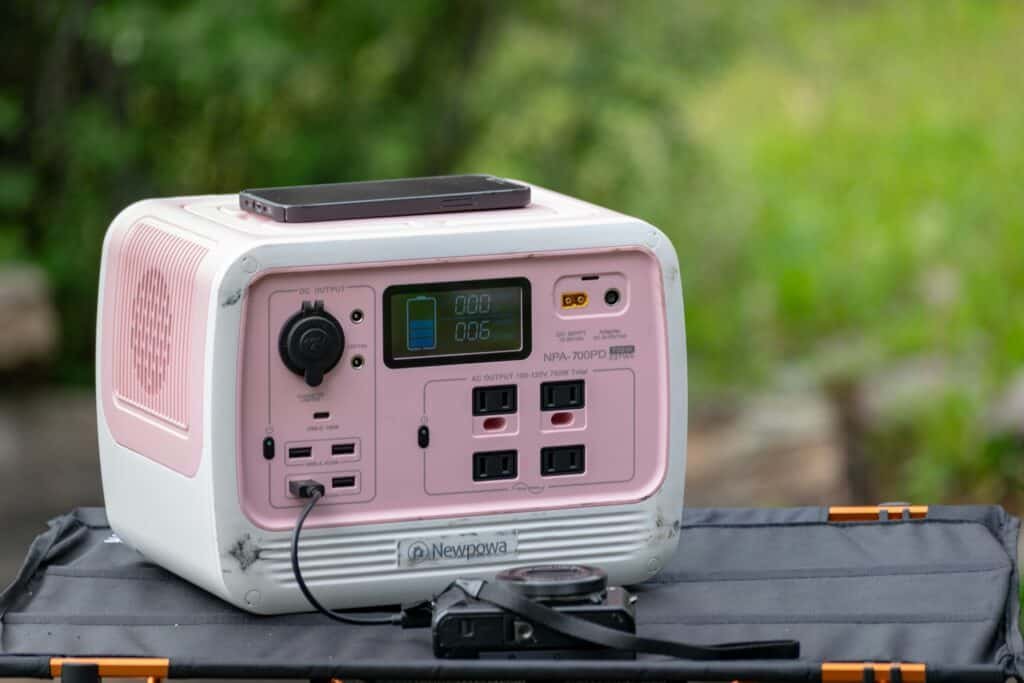
A station runs a fridge or a few circuits for hours, which no desk UPS attempts, and many now include a passthrough mode that gets close to UPS behavior. Reading the switchover specification is what tells you whether it really qualifies, and portable power stations for power outages covers the category.
Plenty of houses end up with both, with a UPS at the desk and something larger for the rest, and the whole home battery backup guide covers the top of that range.
Common Mistakes to Avoid
Plugging a laser printer into it
Laser printers draw a large surge when the fuser heats, which overloads a desk UPS and triggers a shutdown. Printers belong on the surge-only outlets.
Buying for runtime rather than for the bridge
A UPS is there to cover a blink and give you a clean shutdown, not to power the evening. Hours of backup is a job for a different machine.
Ignoring the battery for years
Sealed lead acid cells degrade whether the UPS ever runs or not, so a unit bought years ago may have no reserve left. The same aging story applies across the system, and how long solar batteries last covers it.
Treating it as the whole plan
A UPS protects a handful of outlets and nothing else in the house. Preparing for a power outage and transfer switches for home backup cover the parts it does not touch.
Recommended Reading
Worth reading next: how to power a laptop off grid, which takes the same desk and solves it without AC at all.
Solar UPS FAQ
What is the best solar UPS for home electronics
A line-interactive unit with pure sine wave output covers a desk well and behaves properly behind an inverter. For a modem and router by themselves, a small DC UPS does the same job for far less money and runs them much longer.
Do I need a UPS if I already have solar batteries
Often yes, because a hybrid inverter still takes a moment to switch sources and that moment reboots a computer. The UPS covers the transition the inverter cannot.
Can a UPS run off my inverter output
Yes, and a pure sine wave UPS is strongly preferable when it does. Stacked approximated waveforms cause units to switch to battery repeatedly for no apparent reason.
What does the VA rating actually mean
VA describes apparent power and is always a larger number than the watts the unit can really deliver. Size by the watt figure and treat VA as marketing.
How long will a UPS keep my router online
A network load is small, so even a modest unit holds it up for a useful stretch, and a dedicated DC UPS does better still. A desktop and two monitors on the same unit changes that picture completely.
Is a power station with passthrough the same thing
Some come close, and the specification to look for is the stated switchover time. If the maker does not publish one, assume it is slower than a real UPS.
How often do UPS batteries need replacing
Sealed lead acid packs are a consumable and warm rooms shorten their life considerably. A lithium unit avoids most of that at a higher purchase price.
Will a UPS protect against a lightning surge
Not really, since most include only basic suppression and a direct or nearby strike is a different magnitude of event. Dedicated surge devices and proper grounding are what address that.